 搜索
搜索markhuot / craftql
Craft 的 GraphQL 实现

Requires
- craftcms/cms: ^3.0.0
- react/http: ^0.7
- webonyx/graphql-php: ^0.11.0
- dev-master
- 2.x-dev
- 2.0.0-beta1
- 1.3.7
- 1.3.6
- 1.3.5
- 1.3.4
- 1.3.3
- 1.3.2
- 1.3.1
- 1.3.0
- 1.2.1
- 1.2.0
- 1.1.0
- 1.0.0
- 1.0.0-beta.29
- 1.0.0-beta.28
- 1.0.0-beta.27
- 1.0.0-beta.26
- 1.0.0-beta.25
- 1.0.0-beta.24
- 1.0.0-beta.23
- 1.0.0-beta.22
- 1.0.0-beta.21
- 1.0.0-beta.20
- 1.0.0-beta.19
- 1.0.0-beta.18
- 1.0.0-beta.17
- 1.0.0-beta.16
- 1.0.0-beta.15
- 1.0.0-beta.14
- 1.0.0-beta.13
- 1.0.0-beta.12
- 1.0.0-beta.11
- 1.0.0-beta.10
- 1.0.0-beta.9
- 1.0.0-beta.8
- 1.0.0-beta.7
- 1.0.0-beta.6
- 1.0.0-beta.5
- 1.0.0-beta.4
- 1.0.0-beta.3
- 1.0.0-beta.2
- 1.0.0-beta.1
- dev-dependabot/composer/react/http-1.7.0
- dev-2.x-remove-factories
- dev-imager
- dev-graphqlphp-update
- dev-builder-refactor3
- dev-alternates
- dev-builder-refactor2
- dev-builder-refactor
- dev-caching-perofrmance
- dev-geo-address-field-schema
- dev-batch-queries-defer
- dev-conflicting-type-names
- dev-user-tokens
- dev-commerce
- dev-security
- dev-subscriptions
This package is auto-updated.
Last update: 2024-09-16 23:22:47 UTC
README
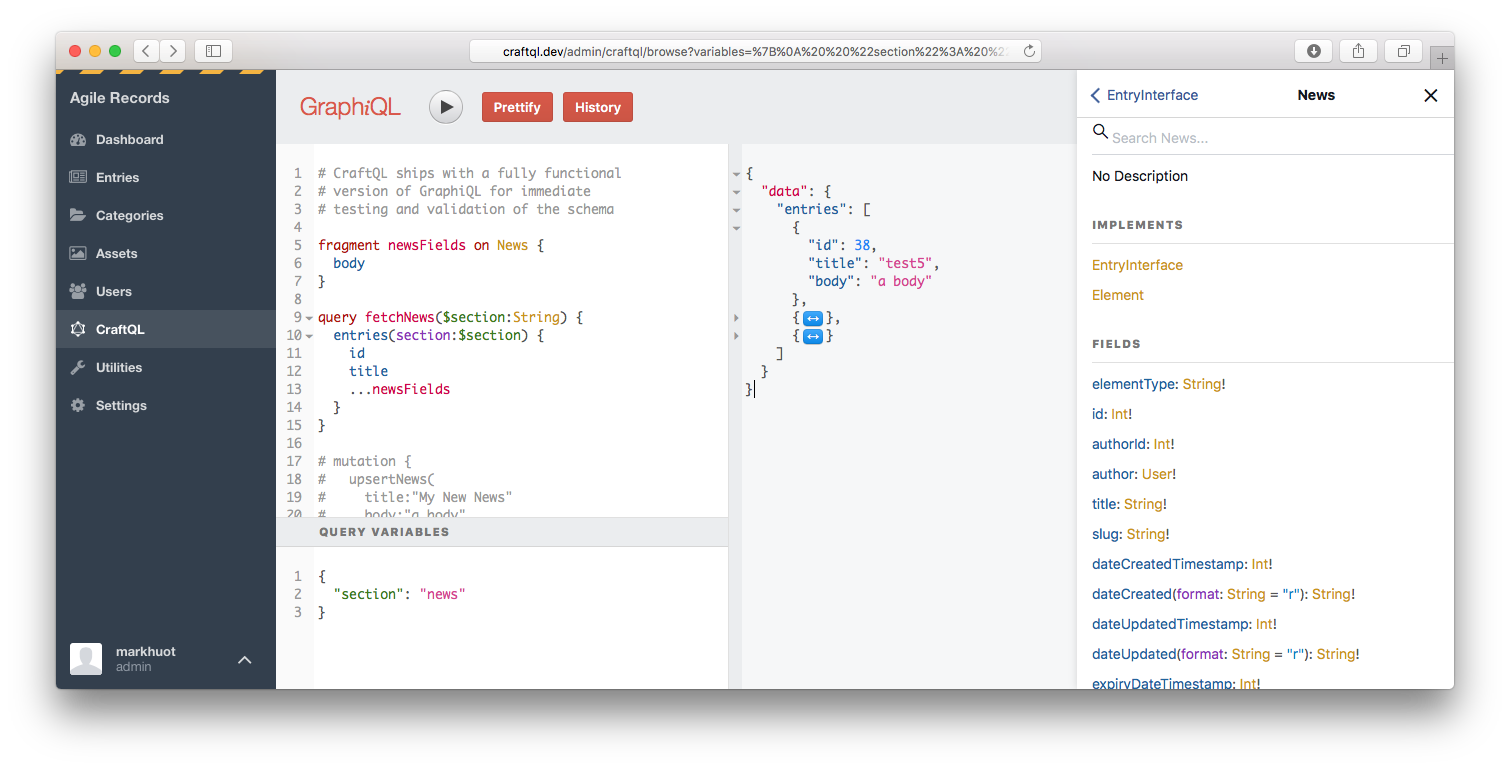
Craft CMS 实现的嵌入式 GraphQL 服务器。无需配置,CraftQL 允许您通过熟悉的 GraphQL 界面访问 Craft 的所有功能。
示例
安装完成后,您可以使用简单的 Hello World 测试您的安装
{
  helloWorld
}
如果一切顺利,您现在可以使用几乎与您的 Twig 模板相同的语法查询 Craft CMS。
{
  entries(section:[news], limit:5, search:"body:salty") {
    ...on News {
      title
      url
      body
    }
  }
}
CraftQL 提供了一个顶级 entries 字段,它接受与您的模板中 craft.entries 相同的参数。这是最常用的字段/访问点。例如,
query fetchNews {             # The query, `query fetchNews` is completely optional
  entries(section:[news]) {   # Arguments match `craft.entries`
    ...on News {              # GraphQL is strongly typed, so you must specify each Entry Type you want data from
      id                      # A field to return
      title                   # A field to return
      body                    # A field to return
    }
  }
}
为您的安装中的每个条目类型自动创建类型。如果您有一个名为 news 的部分和一个名为 news 的条目类型,GraphQL 类型将被命名为 News。如果您有一个名为 news 的部分和一个名为 pressRelease 的条目类型,GraphQL 类型将被命名为 NewsPressRelease。约定是将部分处理程序和条目处理程序混合在一起,除非它们相同,在这种情况下将使用部分处理程序。
query fetchNews {
  entries(section:[news]) {
    ...on News {              # Any fields on the News entry type
      id
      title
      body
    }
    ...on NewsPressRelease {  # Any fields on the Press Release entry type
      id
      title
      body
      source
      contactInfo
      downloads {
        title
        url
      }
    }
  }
}
要修改内容,请确保您的令牌具有写入权限,然后使用顶级的 upsert{EntryType} 变异。 upsert{EntryType} 接受每个在 Craft 中定义的字段参数。
mutation createNewEntry($title:String, $body:String) {
  upsertNews(
    title:$title,
    body:$body,
  ) {
    id
    url
  }
}
以上可以通过以下变量传递,
{
  "title": "My first mutation!",
  "body": "<p>Here's the body of my first mutation</p>",
}
矩阵字段
处理矩阵字段类似于处理条目类型:如果您有一个处理程序为 body 的矩阵字段,包含的块类型将被命名为 Body + 块处理程序。例如 BodyText 或 BodyImage。您可以使用响应中的键 __typename 来遍历块并显示相应的组件。
{
  entries(section: [news]) {
    ... on News {
      id
      title
      body {                  # Your Matrix Field
        ... on BodyText {     # Block Type
          __typename          # Ensures the response has a field describing the type of block
          blockHeading        # Fields on Block Type, uses field handle
          blockContent        # Fields on Block Type, uses field handle
        }
        ... on BodyImage {    # Block Type
          __typename          # Ensures the response has a field describing the type of block
          blockDescription    # Fields on Block Type, uses field handle
          image {             # Fields on Block Type, uses field handle
            id                # Fields on image field on Block Type, uses field handles
          }
        }
      }
    }
  }
}
日期
CraftQL 中的所有日期都输出为 Timestamp 标量,它表示 Unix 时间戳。例如,
{
  entries {
    dateCreated  # outputs 1503368510
  }
}
可以使用 @date 指令将日期转换为人类友好的格式,
{
  entries {
    dateCreated @date(as:"F j, Y") # outputs August 21, 2017
  }
}
关系
根据您的需求,可以通过几种方式检索相关条目。
类似于 craft.entries.relatedTo(entry),您可以在 entries 顶级查询字段上使用 relatedTo 参数。例如,如果您有一个 ID 为 63 的 Post 与评论相关,可以使用以下内容。
{
  entries(relatedTo:[{element:63}], section:comments) {
    ...on Comments {
      id
      author {
        name
      }
      commentText
    }
  }
}
注意,relatedTo: 参数接受一个关系数组。默认情况下,relatedTo: 查找匹配 所有 关系的项目。如果您想切换到与 任何 关系相关的项目,可以使用 orRelatedTo:。
上述方法通常需要为源内容和相关内容分别发出请求。这相当于额外的 HTTP 请求和延迟。如果您使用 CraftQL 的“连接”方法,则可以使用 EntryEdge 类型的 relatedEntries 字段在单个请求中检索关系。相同的请求可以重写如下,以在单个请求中获取帖子及其评论。
{
  entriesConnection(id:63) {
    edges {
      node {
        ...on Post {
          title
          body
        }
      }
      relatedEntries(section:comments) {
        edges {
          node {
            ...on Comment {
              author {
                name
              }
              commentText
            }
          }
        }
      }
    }
  }
}
转换
您可以通过指定任何资产字段的参数来向CraftQL请求图像转换。注意:为了使其生效,存储图像的卷必须在卷设置中启用“公开URL”,否则CraftQL将返回null值。
如果您在Craft UI中定义了命名的转换,您可以按其handle引用转换。
{
  entries {
    ...on Post {
      imageFieldHandle {
        thumbnail: url(transform: thumb)
      }
    }
  }
}
您还可以使用crop、fit或stretch参数指定确切的裁剪,具体请参考Craft文档。
{
  entries {
    ...on Post {
      imageFieldHandle {
        poster: url(crop: {width: 1280, height: 720, position: topLeft, quality: 50, format: jpg})
      }
    }
  }
}
草稿
最好通过entriesConnection查询上的边缘节点获取草稿。您可以使用以下查询获取一个条目的所有草稿:
{
  entriesConnection(id:63) {
    edges {
      node { # the published node, as `craft.entries` would return
        id
        title
      }
      drafts { # an array of drafts
        edges {
          node { # the draft content
            id
            title
            ...on Post { # draft fields are still referenced by entry type, as usual
              body
            }
          }
          draftInfo { # the `draftInfo` field returns the meta data about the draft
            draftId
            name
            notes
          }
        }
      }
    }
  }
}
类别和标签
可以通过顶层categories或tags字段查询分类法。这两个字段与它们的craft.entries和craft.tags对应字段工作方式相同。
{
  categories { # lists all categories, or use `tags` to get all tags
    id
    title
  }
}
为了增加功能,可以通过相关的Connection字段查询类别和标签。这提供了一个返回相关条目的位置。
{
  categoriesConnection {
    totalCount
    edges {
      node {
        title   # the category title
      }
      relatedEntries {
        entries {
          title # an entry title, that's related to this category
        }
      }
    }
  }
}
用户
您可以通过顶层users字段查询用户。
{
  users {
    id
    name
    email
  }
}
您还可以通过upsertUser字段修改用户。当传递一个id:时,它将更新用户。如果缺少id:属性,它将创建一个新用户。
mutation {
  upsertUser(id:1, firstName:"Mark", lastName:"Huot") {
    id
    name # returns `Mark Huot` after the mutation
  }
}
还可以设置权限,但您必须始终传递用户的所有权限列表。例如:
mutation {
  upsertUser(id:1, permissions:["accessCp","editEntries:17","createEntries:17","deleteEntries:17"]) {
    id
    name # returns `Mark Huot` after the mutation
  }
}
安全
CraftQL支持GraphQl字段级别权限。默认情况下,令牌没有任何权利。您必须点击“作用域”部分来调整每个令牌可以做什么。
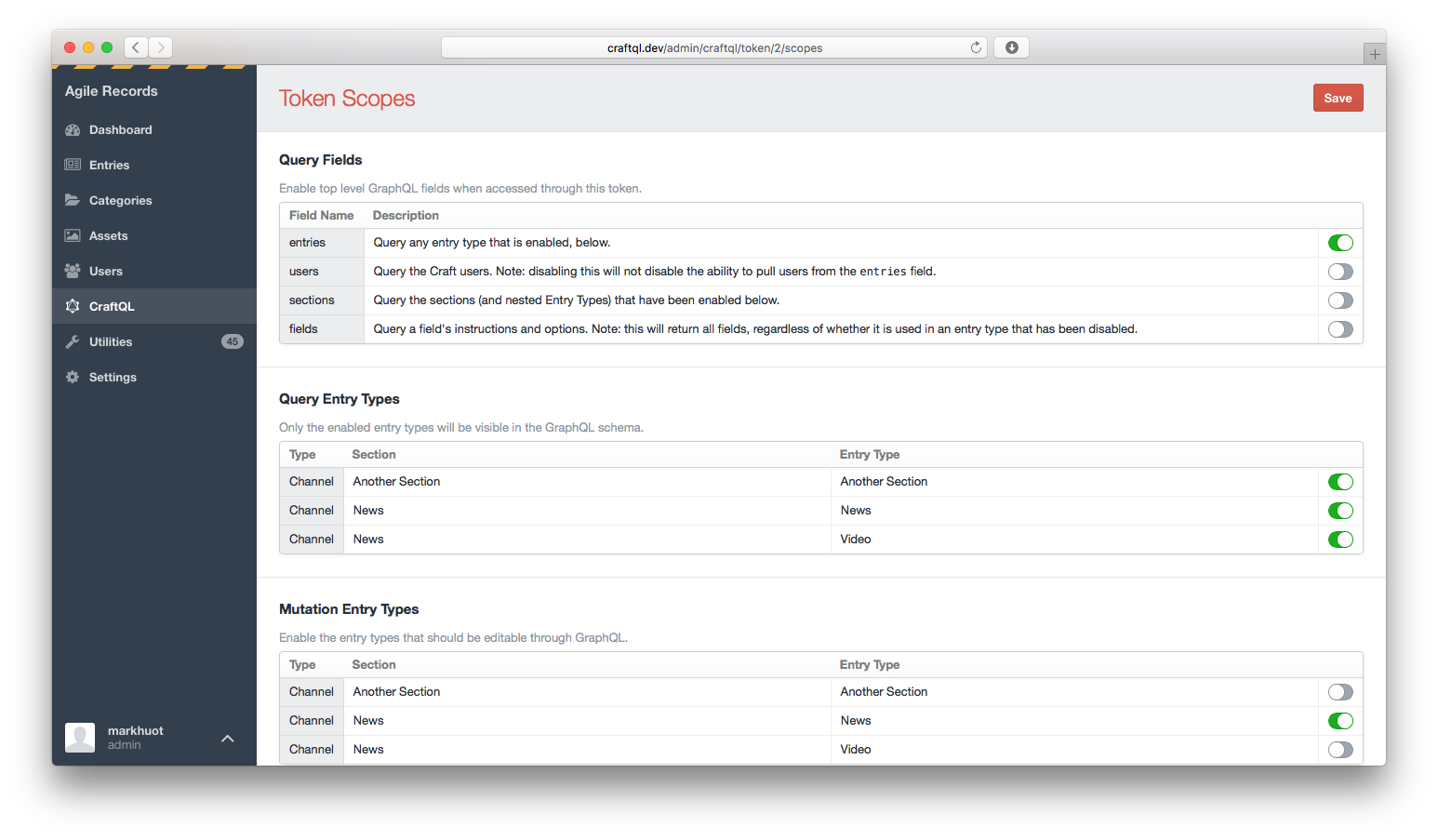
作用域允许您配置哪些GraphQL字段和条目类型包含在模式中。
第三方字段支持
要将CraftQL支持添加到您的第三方字段插件,您需要监听craftQlGetFieldSchema事件。此事件在您的自定义字段上触发,并将“模式构建器”传递给事件处理器,允许您指定自定义字段提供的字段模式。例如,在您的插件的::init方法中,您可以指定:
Event::on(\my\custom\Field::class, 'craftQlGetFieldSchema', function (\markhuot\CraftQL\Events\GetFieldSchema $event) {
  // the custom field is passed as the event sender
  $field = $event->sender;

  // the schema exists on a public property of the event
  $event->schema

    // you can add as many fields as you need to for your field. Typically you'll
    // pass your field in, which will automatically set the name and description
    // based on the Craft config.
    ->addStringField($field);

  // the schema is a fluent builder and can be chained to set multiple properties
  // of the custom field
  $event->schema->addEnumField('customField')
    ->lists()
    ->description('This is a custom description for the field')
    ->values(['KEY' => 'Label', 'KEY2' => 'Another label']);
});
上述内容在调用Post条目类型上的excerpt字段时将生成一个与以下大致等价的模式:
type CustomFieldEnum {
  # Label
  KEY

  # Another label
  KEY2
}

type Post {
  # The field instructions are automatically included
  excerpt: String

  # This is a custom description for the field
  customField: [CustomFieldEnum]
}
如果您的自定义字段解析一个对象,您也可以将其暴露给CraftQL。例如,如果您正在实现一个暴露地图的自定义字段,该地图具有纬度、经度和缩放级别,它可能看起来像:
Event::on(\craft\base\Field::class, 'craftQlGetFieldSchema', function ($event) {
  $field = $event->sender;

  $object = $event->schema->createObjectType('MapPoint')
        ->addStringField('lat')
        ->addStringField('lng')
        ->addStringField('zoom');

  $event->schema->addField($field)->type($object);
});
路线图
没有任何软件是完美的。为了使CraftQL功能完整,还有很多工作要做。一些悬而未决的项目包括:
- 矩阵字段尚未包含在模式中
- 表格字段尚未包含在模式中
- 资产突变(通过传递URL或资产ID实现)
- 在突变期间通过POST $_FILES将文件上传到资产
- 自动化测试尚未启用
- 自动化测试实际上尚未测试任何内容
- 突变需要更多的测试
-
relatedEntries:改进以获取源/目标 - 持久查询
- 子类化的枚举字段能够返回原始字段值
要求
- Craft 3.6.0+
- PHP 7.0+
安装
如果您尚未安装Craft 3,请先安装它。
$ composer create-project craftcms/craft my-awesome-site -s beta
一旦您有了Craft 3的运行版本,您就可以使用Composer安装CraftQL。
$ composer require markhuot/craftql:^1.0.0
运行CLI服务器
CraftQL 内置了PHP原生网络服务器。当通过提供的网络服务器运行 CraftQL 时,启动过程仅在初次启动时发生。这有可能大大加快响应时间,因为PHP可以在请求之间保持状态。一般来说,我观察到性能提升了5倍(从500ms到<100ms)。
注意:这也可能产生意外的副作用,因为Craft并非原生设计为以这种方式运行。不要在生产环境中使用此功能,可能会导致内存泄漏、服务器火灾和IT告警通知:)。
php craft craftql/server